Tag: Open Source

  • Seizing the Means of Listening

    Soundtrack to this post.

    For years, Tidal had a very good idea of what I listened to. Every play, every skip, logged on a server I’d never see, feeding an algorithm I didn’t ask for, ready to hand me a glossy year-in-review graphic every December whether I wanted one or not.

    A few weeks ago I cancelled it. What I actually wanted was already sitting on my own server, in a library I’d spent months getting properly tagged, playing through a media server that already reaches every device in the house. Tidal wasn’t giving me anything my own kit couldn’t, once the kit actually worked properly. So I switched it off and set about rebuilding, on my own terms, whatever streaming had been giving me.

    Mine’s on my own server now. Every play, every skip, every 3am replay of the same Erasure track fifteen times in a row, logged by me, stored by me, shown back to me on my own website. Nobody else’s business.

    This is the story of how that happened, and it took a lot longer than I expected.

    The library had to actually be correct first

    None of this works if the files don’t know what they are. I’ve got a couple of thousand tracks on a Hetzner storage box, ripped from CDs going back years, and a lot of them had tags that were, generously, vibes-based. Artist names spelled three different ways. Compilation albums where every track thought it was the album artist. No MusicBrainz IDs at all, which meant no service anywhere could reliably say “this is that song” rather than “this is a song with a similar name.”

    Fixing that meant beets, a command-line tagger that’s less well known than it deserves to be. Point it at a folder, it fingerprints the audio and matches it against MusicBrainz’s catalogue, then writes the correct IDs straight into the file tags. No renaming, no moving things around, no gambling with a library that has no backup (a fact I am extremely careful about).

    It did not go smoothly on the first attempt. The MusicBrainz plugin isn’t even enabled by default any more, so my first real import returned nothing for every album and I spent an embarrassingly long time wondering why. Then, once it was working, I found that turning on audio fingerprinting (as opposed to matching on the existing text tags) actually made matches worse, dropping a known-good album from a perfect 100% match down to 93%. Counterintuitive, but the numbers didn’t lie, so fingerprinting only comes out now for genuinely hopeless cases.

    For freshly ripped CDs there’s a second layer to this: Picard, which handles the initial tagging before the files ever reach beets. Load a whole album onto one confirmed release before saving, every time, or Picard will happily scatter your tracks across three different pressings of the same record without telling you. And for the properly obscure stuff, like a 55-track singles box set that exists in several barely-distinguishable editions, the only reliable way to pick the right one turned out to be reading the barcode off the physical case and matching it against the MusicBrainz API directly. Title search alone just isn’t trustworthy once the tags are already a mess.

    (For the record: I’m still two tracks short on that box set. If anyone has a spare copy of the Pet Shop Boys’ “Smash”, get in touch.)

    Giving myself a proper name

    Small detour: my ListenBrainz account had been sitting under an old username, a leftover from some long-forgotten forum registration habit. One email to the MusicBrainz team and it became douglasireland, keeping every listen already logged. Nice to have your own name on your own listening history.

    Building the page

    With the library actually tagged, and my media server serving it to the house, and a scrobbling plugin sending every play to ListenBrainz, I had real data flowing for the first time. So I built /listening-log: what’s spinning right now, a running ledger of recent plays grouped into runs when I’ve clearly put a whole album on, and a chart of what’s had the most airtime lately. Styled to match the rest of the site rather than looking like a bolted-on widget, because a bolted-on widget is exactly what it would have been otherwise.

    Cover art turned out to matter more than I expected to how alive the page felt. Real sleeve art, pulled by MusicBrainz ID, made the ledger feel like a shelf of records rather than a spreadsheet. One entry kept showing a plain white box instead, which took a bit of hunting to run down: I’d built the image URL without ever checking whether the artwork existed, so a 404 quietly painted nothing. Now it tries the media server first, falls back to the Cover Art Archive, and only gives up to a plain sleeve icon if genuinely nobody has art for that release.

    There were smaller bugs too, the kind you only find by actually living with a thing. A run of exactly one track was silently hiding its own artist name, a leftover edge case in the “don’t repeat the artist for every track in an album run” logic. Box-set compilations were briefly crowning “Various Artists” as my most-played act, because the code trusted the album-level tag over the actual per-track one. And my phone’s scrobbler fires two or three near-identical “finished playing” events for a single track a second apart, which is a fun way to accidentally double your own listen count if you’re not watching for it.

    The bit where I stopped trusting someone else’s server

    Here’s the part that actually earns this post its title. ListenBrainz is a good project, run by a small non-profit, and I like what it stands for. But it went down. More than once, in the space of one day, and the second time it wasn’t just missing data, it was actively making my own front page slow, because every visitor was quietly waiting on a request to a server I don’t control and can’t fix.

    So I asked myself the obvious question: every track I listen to gets played through my own media server first. Why is my website asking a third party what I’ve been listening to, when the honest answer is sitting right there on my own infrastructure?

    It took an afternoon to switch the whole thing over. The “now spinning” widgets, the ledger, the charts, all of it now reads straight from the media server’s own session and activity data, over a private network connection that never touches the public internet. ListenBrainz still gets scrobbled to in the background, because I like having a public record too, and because it means this isn’t a single point of failure either way. But my own site no longer depends on it staying up. If ListenBrainz is down, mine just doesn’t notice.

    That, more than the tagging or the widgets or any of the rest of it, is the actual point of self-hosting. Not that it’s free, or that it’s more private, though it is both of those things. It’s that nothing about my own website’s uptime is someone else’s problem to have on a bad day.

    There was a knock-on bug from the migration worth admitting to, because it’s a good one: the switch briefly made the “now spinning” widget flash “nothing’s playing” for up to forty-five seconds every single time a track actually changed, because it trusted an empty reading the instant it saw one, with no allowance for the ordinary gap between one song ending and the next one registering. It now holds the last confirmed track for a minute, quietly flagged as unconfirmed, before it’ll admit the room’s gone quiet. Small fix, but it’s the difference between a page that feels alive and one that flickers like a loose wire every three minutes.

    Wrapped, but it’s mine

    The last piece was a proper year-in-review page, the kind Tidal used to send me every December, glossy and pre-packaged. Mine’s at /recap, rebuilt on a rolling 365 days rather than a calendar year, so it’s always current rather than sitting stale for eleven months.

    As of today it’s showing 1,209 listens, across 347 different artists and 845 different tracks, with just over 77 hours of confirmed listening time. A ten-day streak earlier this month. My single busiest day so far ran to 116 plays. Garbage are comfortably my most-played artist right now, on both the 30-day and 365-day view, which is either a sign of good taste or a sign I need to broaden my horizons. Possibly both.

    None of those numbers are borrowed from anyone. They’re not an estimate, not a “stats aren’t ready yet” placeholder, not something calculated by a batch job on someone else’s schedule. They’re read straight off my own server, whenever the page loads, because the data was mine the whole time.

    Douglas Ireland, Self-Hosted
    Listening record · no. 001174

    Listens logged
    1,209
    Unique artists
    347
    Unique tracks
    845
    Hours played, confirmed
    77.4
    Longest streak
    10 days
    Busiest day
    116 plays

    Top artist
    Garbage
    ×50

    Subtotal
    everything
    Third-party fee
    £0
    TotalMine, kept

    *** served from my own server ***
    *** no subscription required ***

    LB · DOUGLASIRELAND

    Go have a look

    The listening log updates live. The recap page is the honest, unglamorous version of Wrapped. Between them they represent a genuinely stupid number of hours spent on something that, at the end of the day, just tells me what I already knew: I listen to a lot of Erasure.

    Worth every hour, though. It’s my data. Might as well be my website too.
  • I’ll start tomorrow

    Soundtrack to this post.

    About four months ago I was diagnosed with MS. I’m not going to write a big dramatic post about that part, not today anyway, but I’ll be honest about what it did to me in the short term. There was a bit of depression in there, the kind you don’t always admit to at the time, and I dealt with it the way a lot of people do. I ate. Chocolate mostly. Chocolate has always been my vice and for a few weeks it was more or less a food group.

    The problem is that I also have type 2 diabetes, so emotionally eating my way through bars of chocolate was about the worst thing I could be doing, MS or no MS. And I knew it. I knew I needed to eat better and move more. Every single day I told myself the same thing: I’ll start tomorrow. Tomorrow is a very comfortable place to keep your good intentions. Nothing ever actually has to happen there.

    Then about three weeks ago something just snapped in my head. I can’t point to a single moment or some big realisation. I just woke up done with waiting for tomorrow. I started counting my calories that same day and I joined the gym.

    If you’ve read this blog for any length of time you’ll know I care a lot about privacy, and about choosing what data I hand over to whom. So the obvious tools were out. I wasn’t about to feed every meal into MyFitnessPal or every run into Strava and let them quietly build a picture of my body and my habits. That’s just not for me.

    What I could do was self-host. I set up SparkyFitness for logging my food, which does much the same job as MyFitnessPal but on my own server with my own data staying mine. And I built myself a simple training log for the exercise side. I genuinely enjoyed building it, which is half the appeal. Both have public diaries if you fancy following along:

    [Edit: 20/07/2026] I wasn’t getting on with SparkyFitness. It was quite hard to use on mobile, hard to see, and had loads of features I didn’t use while missing some I wanted. So I made my own version that does exactly what I want with no bloat, called Nourish. The food log and training log are now merged into one at nourish.douglasireland.com/public/douglas-ireland. If you fancy trying Nourish and giving me feedback, it’s at nourish.douglasireland.com.

    On the running side I’ve started Couch to 5K again. If you’ve not come across it, it’s a beginners’ running plan (the NHS version is the one most people in the UK use) that eases you from not running at all up to running 5k. Three sessions a week over nine weeks, starting with short bursts of running in between walking and building up from there. I’m on week 3 as of today.

    To run the plan I use an app called Just Run, which I found on F-Droid. It fits the same rule as everything else here: no ads, no account, no tracking, just a timer that tells you when to run and when to walk. It’s made by a small developer called Jupli and it’s exactly the sort of quiet, does-one-thing-well app I like to give a shout to, so if you’re starting C25K yourself it’s well worth a look.

    Alongside the running I’m keeping my food to around 1800 calories a day.

    I won’t pretend three weeks is long enough to call anything a transformation. But I can honestly say I already feel amazing. Better than I have in a long time, and better than I expected to this soon. Ten years ago I could run a 5k in 23 minutes and I was sitting at a 22.4 BMI. That’s the version of me I’m aiming to get back to. Not to prove anything to anyone, just because I felt good back then and I’d like to feel that way again, MS and diabetes and all.

    If you want to keep an eye on how it’s going, the diaries above update as I do. No login, no tracking, just the numbers.

  • I Built My Own Search Engine (And You Can Too)

    Soundtrack to this post.

    Every time I typed something into Google, I thought about who else was reading it.

    Not in a paranoid way. Just in the quiet, background sense of knowing that somewhere, a profile was being updated. Another data point added to the picture they have of me. Douglas Ireland, Paisley, searched for: bus times, herniated disc recovery, Viking history, Oldham Athletic score.

    It starts to feel less like a search engine and more like a diary that someone else owns.

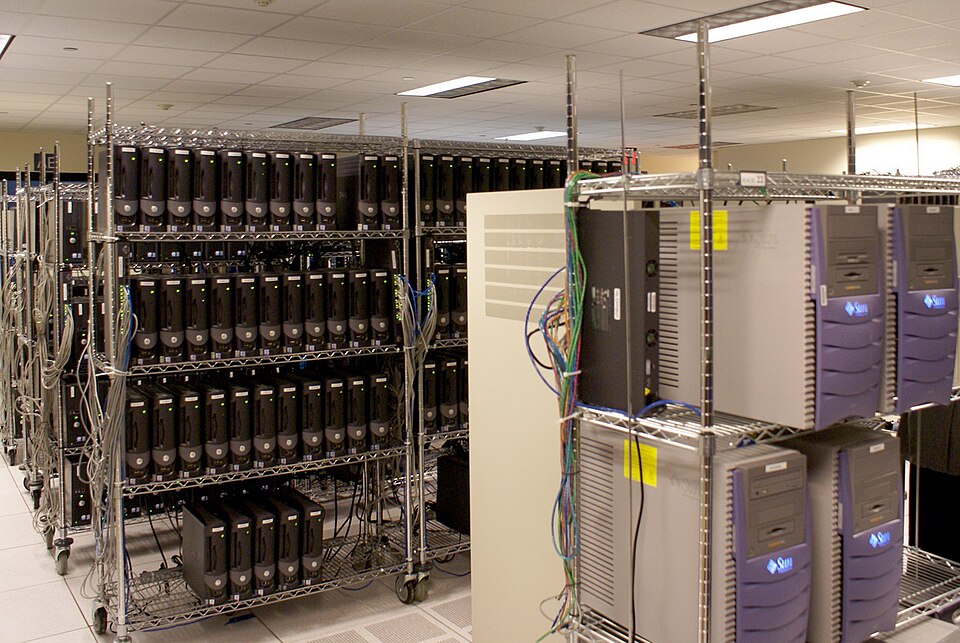
    Rows of servers on metal shelving racks in a data centre, with colourful cables running between units
    Somewhere in a building like this, a profile with your name on it is being updated. Photo: Centaur server room by Ttog via Wikimedia Commons, licensed under CC BY-SA 2.0

    So I built my own.

    The part I enjoyed most was not the installation. It was making it mine.

    SearXNG out of the box looks like SearXNG. Clean, functional, unmistakably generic. But the templates are open, the CSS is yours to change, and nothing is locked down. So I started pulling at threads.

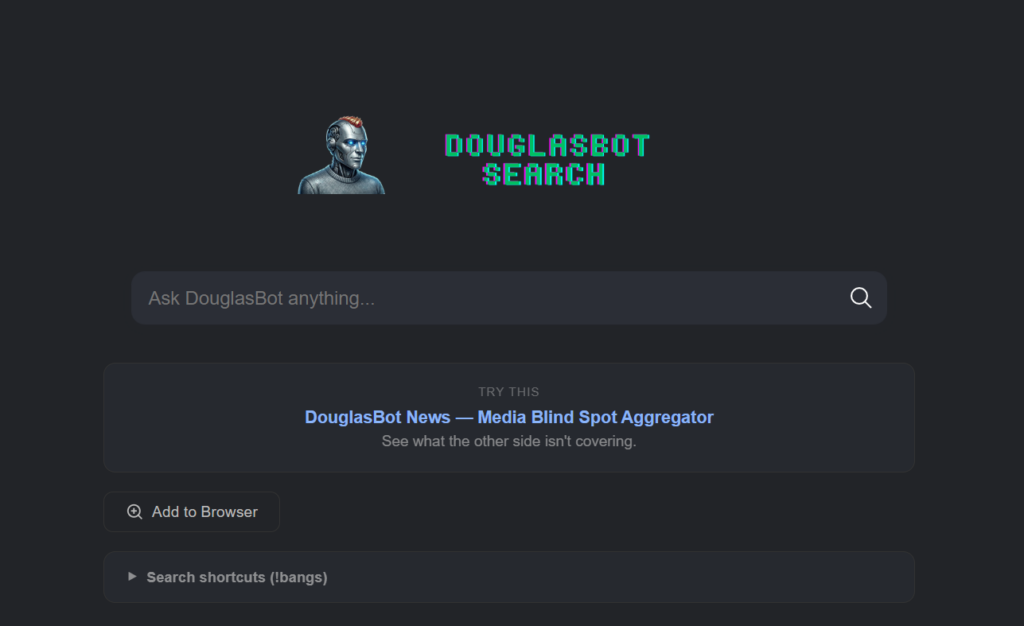
    First it needed a name. DouglasBot Search. Then a logo, a pixel-font wordmark in cyan and purple sitting next to a robot avatar I had generated for an earlier project. Then a dark, slightly brutalist colour scheme that matched the aesthetic I had in my head. Then a custom placeholder in the search bar. Then a rewritten About page that sounds like a person wrote it rather than a committee.

    At some point it stopped feeling like a piece of software I was running and started feeling like a thing I had made.

    DouglasBot Search homepage showing a robot avatar, pixel-font logo in cyan and purple, and a search bar reading "Ask DouglasBot anything..."
    DouglasBot Search – running at search.douglasirelanddigital.com

    Then I added custom search shortcuts, called !bangs, so I can type !r selfhosted to search Reddit or !!osm Edinburgh to pull up a map. I even added a random ad rotator that displays one of my own projects on the results page. Advertising my own things to myself. The circle is complete.

    That is the part nobody tells you about self-hosting. The technical setup is just the door. What is on the other side is a blank canvas, and how much you do with it is entirely up to you. Most self-hosted SearXNG instances look identical. Mine does not. That feels worth something.

    DouglasBot Search lives at search.douglasirelanddigital.com. It is a private, self-hosted search engine that runs on my own server in a data centre in Germany. It does not store what I search for. It does not build a profile. It does not know my name. It just searches.

    How does it actually work?

    DouglasBot Search is built on SearXNG, a free and open-source metasearch engine. A metasearch engine does not crawl the web itself. Instead, it sends your query to multiple search engines simultaneously, collects the results, and presents them to you without passing on who you are. You get the results. Google gets nothing useful.

    Setting it up required a VPS, Docker, and a reverse proxy called Caddy to handle the domain and HTTPS. If none of those words mean anything to you, do not worry. The point is that the technical barrier, while real, is lower than you might think. The SearXNG documentation is good. There are Docker images ready to go. I had a working instance running within an afternoon.

    Why bother?

    Because I think the act of self-hosting is, as I wrote in an earlier post, a political one. When I use Google, I am a tenant. When I run my own search engine, I am an owner. The distinction matters more than it might seem.

    There is also something satisfying about using a tool you built yourself, even if “built” in this case means configured, customised, and made your own. It is the difference between a rented flat and a place where you are allowed to paint the walls.

    The results are genuinely good, by the way. It pulls from multiple sources and returns clean, uncluttered results without the sponsored entries and SEO slop that litter a standard Google page. I use it every day now. I have set it as my default browser search engine. I do not miss Google.

    Can you actually do this yourself?

    Yes. You need:

    • A VPS (I use Hetzner, which is EU-based, reliable, and not expensive)
    • Docker and Docker Compose installed
    • A domain name
    • An afternoon and a willingness to read documentation

    The SearXNG project has everything you need to get started. Search for “SearXNG Docker install” and follow the official docs. If you get stuck, the r/selfhosted community on Reddit is full of people who have done exactly this and are happy to help.

    It is not magic. It is just a small, deliberate choice to take back a corner of your digital life.

    One search at a time.

  • Seizing the Means of Connection

    Soundtrack to this post.

    As we enter 2026, many of us are making the usual resolutions to spend less time on our screens or eat more healthily. My resolution is different. I am not trying to spend less time on the internet; I am trying to change how I inhabit it. I am moving “Big Data” out of my life and moving my digital existence onto my own Virtual Private Server (VPS).

    Image: Warded lock
    by Thegreenj
    via Wikimedia Commons, licensed under CC BY-SA 3.0. A threshold to a digital space that belongs to you, not a billionaire.

    This sounds like a technical project, but it is fundamentally a political one. For years, we have lived in digital company towns. We do not own the square where we speak; corporations do. We saw this reality on full display at the start of this year. Men like Elon Musk and Mark Zuckerberg were not just guests at Donald Trump’s second inauguration. They were right at the front, seated in positions of honour that were traditionally reserved for family and cabinet members. It was a clear signal of the increasingly close bond between political power and the billionaire owners of the digital platforms we use every day. We do not own our memories or our data; we merely rent space from them. We have become tenants on digital land that can be sold, gated off, or strip-mined for AI training data at a moment’s notice.

    Aaron Swartz spent his life fighting to liberate knowledge and he understood these power dynamics perfectly. He famously said that information is power. But he also knew that like all power, there are those who want to keep it for themselves.

    Right now, that power is concentrated in a few corporate boardrooms. They treat our data as a raw material to be extracted, which is a modern version of the old enclosures that fenced off the physical commons centuries ago. By self-hosting, we are rejecting this new feudalism. We are stating that our words and connections are not commodities to be monetised by billionaires.

    This is especially vital as we enter the era of AI. If AI is going to eliminate jobs, we have to ask what the new economy will actually look like. In a world where human labour is replaced by machine intelligence, data becomes the primary resource. It is the fuel that runs the entire system. The question of who controls that data is the question of who holds the power in a post-scarcity world.

    In his 1930 essay, “Economic Possibilities for Our Grandchildren,” John Maynard Keynes predicted that by 2030, technological progress would allow us to work only fifteen hours per week. He believed we would have solved the “economic problem” and would instead be grappling with how to spend our newfound leisure time. We are almost at that 2030 deadline, yet the fifteen-hour week feels further away than ever.

    Replacing work should be a good thing. Most people only work because they are paid to do so. But Keynes’s vision failed because the gains from productivity were not distributed; they were captured. If the data that powers the AI future stays in private hands, we will not get leisure. We will get a deeper kind of dependency. Reclaiming our data is the first step in ensuring that a world without work is a world of freedom, not just one of mass unemployment and corporate control.

    There is a misconception that data sovereignty is only for the technical elite. That is no longer the case. The tools to reclaim your data, such as the open-source platform Nextcloud, are now mature and accessible to anyone with a little curiosity. You do not need a computer science degree to stop being a product.

    Admittedly, it is a little less convenient. You have to manage your own backups and occasionally learn how a new piece of software works. However, that small amount of friction is worth the reward. It is the difference between buying a microwave meal and cooking from scratch. When you cook for yourself, you know exactly what is in the pot. You know where the ingredients came from, and you are no longer at the mercy of a corporation’s supply chain.

    You also get to eat in peace. When you host your own services, the advertising disappears. You are no longer being shouted at by brands or tracked by algorithms trying to sell you back a version of yourself. You gain a sense of resilience, a cleaner digital environment, and a deeper understanding of the tools you use every day.

    There is also a hidden environmental cost to the Big Tech model. Because their business relies on extracting and storing every possible scrap of our data to train AI, they have built an infrastructure that is staggeringly wasteful. These data centres consume vast amounts of power and water just to maintain the digital landfill they use for profit. Choosing to self-host is a way to reject that waste. It allows for a more conscious, lean way to live online. When you only host what you actually need, you are practising a form of digital conservation. It is a radical choice that proves “small is beautiful” applies just as much to our servers as it does to our communities.

    My resolution for 2026 is to stop being a digital tenant and become an owner. In a world where every part of our identity is for sale, keeping something for yourself is a revolutionary act.

    Oh, and I’m quitting vaping too, because one form of cloud hosting is probably enough for one year.

  • Moving (Digital) House

    Soundtrack to this post.

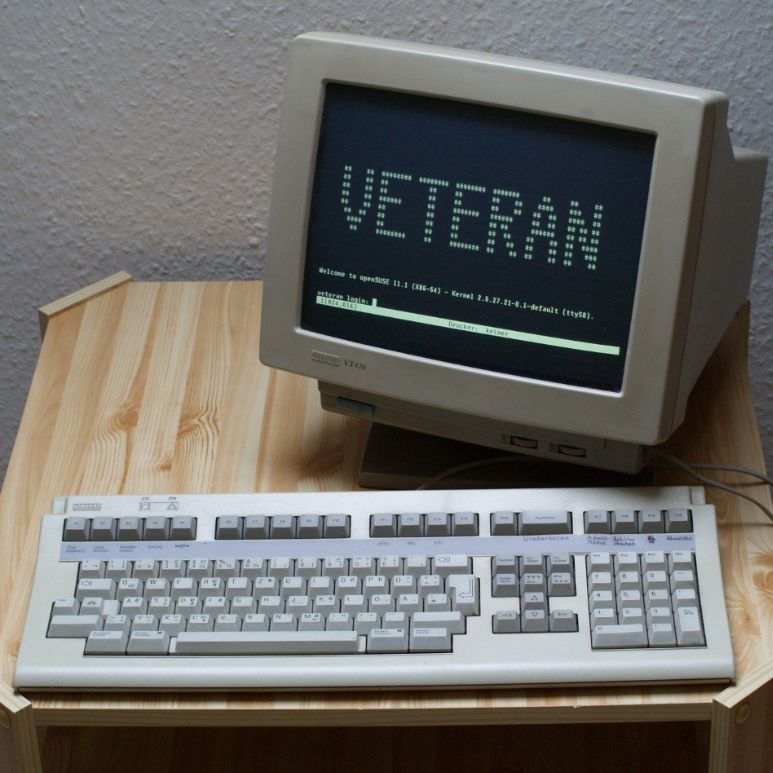
    A DEC VT420 terminal (1989). Photo by Jacek Rużyczka / CC BY-SA 3.0.

    I have been doing some renovations. Not on the house, but here on the site.

    For a long time, this blog lived in a rented room. I used EasyWP from Namecheap. It was functional. It worked. But it felt like living in a hotel. You can sleep there, but you are not allowed to drill holes in the walls or change the locks.

    I decided it was time to move out. I have spent the last three days migrating everything to my own VPS (Virtual Private Server). It was surprisingly quick. I expected a week of headaches, but it has gone smoother than I thought.

    The Economics of Independence

    We are often told that convenience is worth paying for. Usually, I agree. But in the world of hosting, the markup for convenience is steep.

    My previous setup was a patchwork of services. I was paying £7.40 a month for the WordPress hosting. On top of that, I paid £5 a month for Mullvad VPN to keep my browsing private. That is over £12 a month just to exist online securely.

    My new VPS costs £3.05 a month.

    For that price, I get more storage and traffic allowance than I will ever need. I have migrated the WordPress site. I have also set up WireGuard on the server. This replaces my Mullvad VPN subscription entirely.

    The maths is undeniable. I am saving nearly ten pounds a month, and I am getting more for it.

    The “Douglas Ireland” Cloud Stack

    The best part of this move is knowing exactly what is running under the bonnet. There is no “black box” anymore. I built the system, so I know how it works.

    Here is the current setup.

    1. The Foundation – I am using Hetzner Cloud based in Germany. It feels appropriate for a project focused on privacy to host the data within Europe. The OS is Ubuntu 24.04.3 LTS (Noble Numbat) running Linux Kernel 6.8.0. It is solid and stable.

    2. The Architecture – I went for a hybrid approach.

    • Host Level: Nginx runs natively. It handles the public traffic and manages the SSL certificates via Let’s Encrypt.
    • Container Level: Everything else runs in isolated Docker containers. They talk to each other through a custom internal bridge network.

    3. The Silence (Privacy & Ads) – This is the feature I am most pleased with.

    • VPN: I am running WireGuard (via the wg-easy image). It is faster and leaner than older protocols.
    • Ad Blocking: I have AdGuard Home running as a network-wide DNS sinkhole.
    • The Link: The VPN and AdGuard are linked internally. When I connect my phone or laptop to the VPN, all the DNS queries are forced through AdGuard. It scrubs the ads and trackers before the data even reaches my screen.

    4. The Applications

    • The Blog: douglasireland.com is running on a native Nginx/PHP implementation.
    • Coming Soon: I am looking to implement my own cloud storage and password manager next. That will save me even more money in the long run, but for now, I am taking it one step at a time.

    5. Maintenance – I don’t want to spend my life running updates manually. I have Watchtower running in the background. It checks for Docker image updates every 24 hours and applies them automatically.

    Escaping the Walled Garden

    Managed hosting is a walled garden. They keep it tidy for you, but they also lock the gates.

    They block certain plugins. They restrict file access. On a VPS, I have “root access.” That means I hold the keys to the entire building.

    If I want to run a Python script alongside this blog? I can. If I want to host my own password manager later down the line? I can. If I want to mess up the configuration and break the whole thing? I can do that too.

    That risk is part of the appeal.

    The Joy of Logic

    There is a satisfaction in getting a system to run perfectly. It is the same feeling you get when you finally crack a difficult crossword clue or fit the last piece of a puzzle into place.

    Setting this up required reading, learning, and typing commands into a terminal window. It gave me something to do. I am genuinely enjoying learning about how the internet actually functions.

    When I get a new service running, like the WireGuard VPN which now shields all my devices rather than just the five Mullvad allowed, I feel a real sense of accomplishment.

    Mid 90s Style Independence

    Ultimately, this is a philosophical choice.

    We have drifted into an era where we rent everything from Big Tech. We trade our data for ease of use. Moving to a VPS is a small act of rebellion. It is about data sovereignty. I control the backups. I control the logs. I am not relying on an ecosystem that might change its terms of service tomorrow.

    It feels like the internet of the mid 90s. It is a bit rougher around the edges, perhaps. But it is mine.

  • An Act of Digital Citizenship: Why I’m Still Donating to Wikipedia

    Soundtrack to this post.

    The email arrived today, right on schedule. It was from the Wikimedia Foundation, kindly reminding me that I had donated £5 last year and asking if I would consider renewing my support.
    My gut reaction was to hesitate. Do I actually use Wikipedia that much? The answer is no.


    My habits have changed. Like many people, when I want to know something now, I don’t open a new tab and type “wikipedia.org”. I open a chat with an AI. I ask my question in plain language and get a synthesized, conversational answer in seconds. It’s an incredible technology that has seamlessly integrated itself into my workflow.
    So, why donate to the encyclopedia I seem to have replaced?


    I was about to archive the email when I stopped and thought about the process more deeply. Where does this helpful AI get its information? How does it know the history of Paisley, the principles of thermodynamics, or the discography of my favourite band?
    Of course, it learns from a vast corpus of data scraped from the internet. A massive, foundational pillar of that data is Wikipedia. It’s perhaps the most significant single source of structured human knowledge online.


    That’s when it clicked. Wikipedia is no longer just a website I visit. It has become a fundamental piece of our shared digital commons.
    It’s like Barshaw Park for the internet.

    Barshaw Park: the Peace Garden” by Lairich Rig is licensed under CC BY-SA 2.0.

    It’s a vast, open space, built and tended to by a global community of volunteers. It is free for everyone to enter. It doesn’t plaster its beautiful landscapes with ads or charge an entry fee. Its purpose isn’t to make a profit, but simply to exist for the public good.


    My AI is like a fantastic personal tour guide. I can ask it anything about the park’s history or features, and it will instantly give me a brilliant, summarised tour. But that guide doesn’t build the paths, tend the gardens, or pick up the litter. The community does that.


    And like any public space, if it is neglected, it will fall into disrepair. The paths will crack, the gardens will become overgrown, and misinformation will spread like graffiti. If the commons degrades, the quality of every service that relies on it, including the AI I now find so useful, degrades too.


    That’s why I went back to that email and renewed my £5 donation.
    I don’t see it as paying for a product I no longer use. I see it as an act of digital citizenship. I’m chipping in for the park’s upkeep. It’s a tiny contribution to help maintain this incredible non-commercial, human-curated resource in an online world that is becoming more automated and commercialised by the day.


    By supporting Wikipedia, we are all helping to ensure that a neutral, verifiable source of knowledge remains healthy. We are funding the digital gardeners. We’re ensuring this public park remains a vital counterbalance to the noise and potential biases of the wider web.


    So, while I may ask an AI for my facts these days, I know that my donation helps ensure the park my ‘tour guide’ relies on remains a beautiful, trustworthy, and essential place for all of us. It’s a small investment in the health of the internet itself.


    If you also believe in that mission, perhaps you’ll consider joining me. Donate to Wikipedia here