Soundtrack to this post.
Every time I typed something into Google, I thought about who else was reading it.
Not in a paranoid way. Just in the quiet, background sense of knowing that somewhere, a profile was being updated. Another data point added to the picture they have of me. Douglas Ireland, Paisley, searched for: bus times, herniated disc recovery, Viking history, Oldham Athletic score.
It starts to feel less like a search engine and more like a diary that someone else owns.

So I built my own.
The part I enjoyed most was not the installation. It was making it mine.
SearXNG out of the box looks like SearXNG. Clean, functional, unmistakably generic. But the templates are open, the CSS is yours to change, and nothing is locked down. So I started pulling at threads.
First it needed a name. DouglasBot Search. Then a logo, a pixel-font wordmark in cyan and purple sitting next to a robot avatar I had generated for an earlier project. Then a dark, slightly brutalist colour scheme that matched the aesthetic I had in my head. Then a custom placeholder in the search bar. Then a rewritten About page that sounds like a person wrote it rather than a committee.
At some point it stopped feeling like a piece of software I was running and started feeling like a thing I had made.
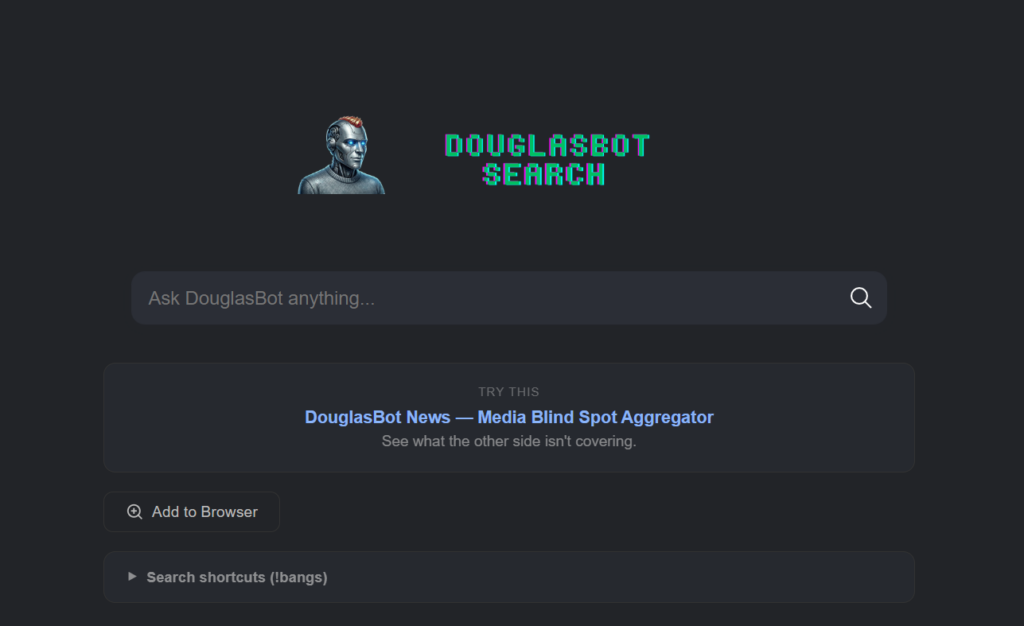
Then I added custom search shortcuts, called !bangs, so I can type !r selfhosted to search Reddit or !!osm Edinburgh to pull up a map. I even added a random ad rotator that displays one of my own projects on the results page. Advertising my own things to myself. The circle is complete.
That is the part nobody tells you about self-hosting. The technical setup is just the door. What is on the other side is a blank canvas, and how much you do with it is entirely up to you. Most self-hosted SearXNG instances look identical. Mine does not. That feels worth something.
DouglasBot Search lives at search.douglasirelanddigital.com. It is a private, self-hosted search engine that runs on my own server in a data centre in Germany. It does not store what I search for. It does not build a profile. It does not know my name. It just searches.
How does it actually work?
DouglasBot Search is built on SearXNG, a free and open-source metasearch engine. A metasearch engine does not crawl the web itself. Instead, it sends your query to multiple search engines simultaneously, collects the results, and presents them to you without passing on who you are. You get the results. Google gets nothing useful.
Setting it up required a VPS, Docker, and a reverse proxy called Caddy to handle the domain and HTTPS. If none of those words mean anything to you, do not worry. The point is that the technical barrier, while real, is lower than you might think. The SearXNG documentation is good. There are Docker images ready to go. I had a working instance running within an afternoon.
Why bother?
Because I think the act of self-hosting is, as I wrote in an earlier post, a political one. When I use Google, I am a tenant. When I run my own search engine, I am an owner. The distinction matters more than it might seem.
There is also something satisfying about using a tool you built yourself, even if “built” in this case means configured, customised, and made your own. It is the difference between a rented flat and a place where you are allowed to paint the walls.
The results are genuinely good, by the way. It pulls from multiple sources and returns clean, uncluttered results without the sponsored entries and SEO slop that litter a standard Google page. I use it every day now. I have set it as my default browser search engine. I do not miss Google.
Can you actually do this yourself?
Yes. You need:
- A VPS (I use Hetzner, which is EU-based, reliable, and not expensive)
- Docker and Docker Compose installed
- A domain name
- An afternoon and a willingness to read documentation
The SearXNG project has everything you need to get started. Search for “SearXNG Docker install” and follow the official docs. If you get stuck, the r/selfhosted community on Reddit is full of people who have done exactly this and are happy to help.
It is not magic. It is just a small, deliberate choice to take back a corner of your digital life.
One search at a time.


.jpg)
Leave a Reply