Tag: Docker

  • I Built My Own Search Engine (And You Can Too)

    Soundtrack to this post.

    Every time I typed something into Google, I thought about who else was reading it.

    Not in a paranoid way. Just in the quiet, background sense of knowing that somewhere, a profile was being updated. Another data point added to the picture they have of me. Douglas Ireland, Paisley, searched for: bus times, herniated disc recovery, Viking history, Oldham Athletic score.

    It starts to feel less like a search engine and more like a diary that someone else owns.
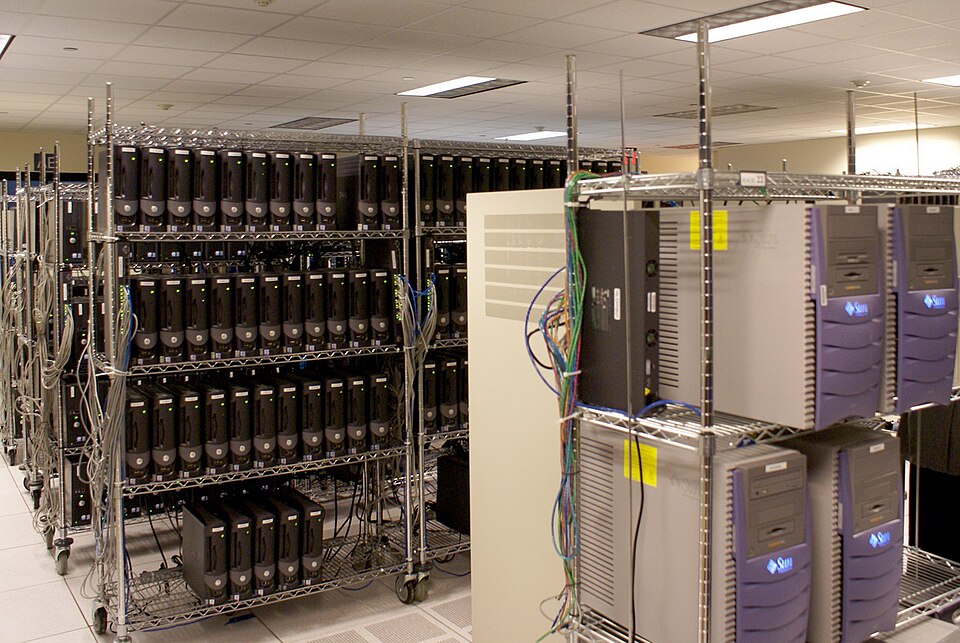
    Rows of servers on metal shelving racks in a data centre, with colourful cables running between units
    Somewhere in a building like this, a profile with your name on it is being updated. Photo: Centaur server room by Ttog via Wikimedia Commons, licensed under CC BY-SA 2.0

    So I built my own.

    The part I enjoyed most was not the installation. It was making it mine.

    SearXNG out of the box looks like SearXNG. Clean, functional, unmistakably generic. But the templates are open, the CSS is yours to change, and nothing is locked down. So I started pulling at threads.

    First it needed a name. DouglasBot Search. Then a logo, a pixel-font wordmark in cyan and purple sitting next to a robot avatar I had generated for an earlier project. Then a dark, slightly brutalist colour scheme that matched the aesthetic I had in my head. Then a custom placeholder in the search bar. Then a rewritten About page that sounds like a person wrote it rather than a committee.

    At some point it stopped feeling like a piece of software I was running and started feeling like a thing I had made.
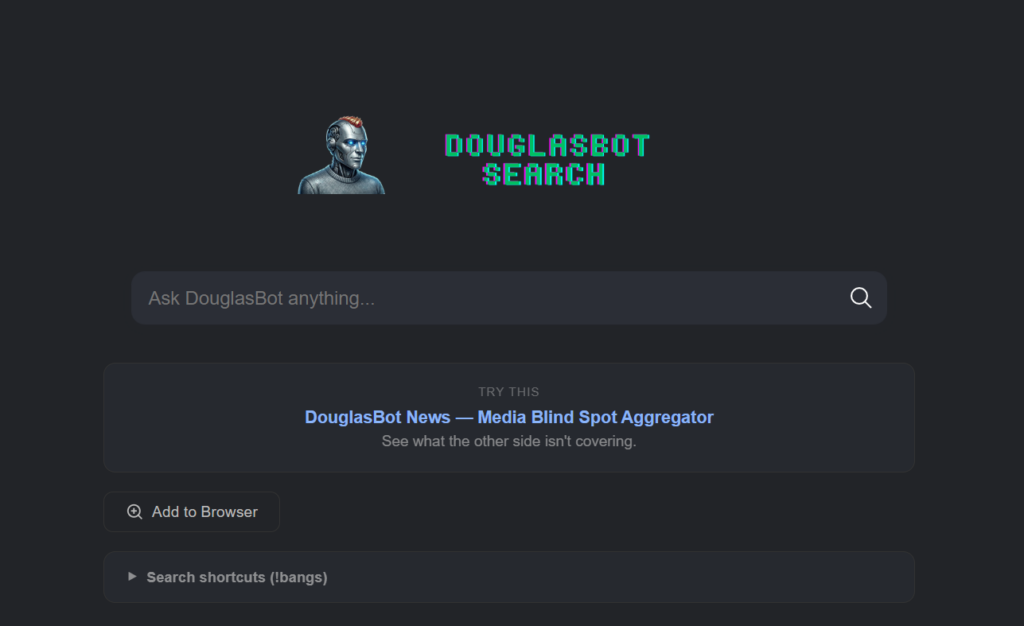
    DouglasBot Search homepage showing a robot avatar, pixel-font logo in cyan and purple, and a search bar reading "Ask DouglasBot anything..."
    DouglasBot Search – running at search.douglasirelanddigital.com

    Then I added custom search shortcuts, called !bangs, so I can type !r selfhosted to search Reddit or !!osm Edinburgh to pull up a map. I even added a random ad rotator that displays one of my own projects on the results page. Advertising my own things to myself. The circle is complete.

    That is the part nobody tells you about self-hosting. The technical setup is just the door. What is on the other side is a blank canvas, and how much you do with it is entirely up to you. Most self-hosted SearXNG instances look identical. Mine does not. That feels worth something.

    DouglasBot Search lives at search.douglasirelanddigital.com. It is a private, self-hosted search engine that runs on my own server in a data centre in Germany. It does not store what I search for. It does not build a profile. It does not know my name. It just searches.

    How does it actually work?

    DouglasBot Search is built on SearXNG, a free and open-source metasearch engine. A metasearch engine does not crawl the web itself. Instead, it sends your query to multiple search engines simultaneously, collects the results, and presents them to you without passing on who you are. You get the results. Google gets nothing useful.

    Setting it up required a VPS, Docker, and a reverse proxy called Caddy to handle the domain and HTTPS. If none of those words mean anything to you, do not worry. The point is that the technical barrier, while real, is lower than you might think. The SearXNG documentation is good. There are Docker images ready to go. I had a working instance running within an afternoon.

    Why bother?

    Because I think the act of self-hosting is, as I wrote in an earlier post, a political one. When I use Google, I am a tenant. When I run my own search engine, I am an owner. The distinction matters more than it might seem.

    There is also something satisfying about using a tool you built yourself, even if “built” in this case means configured, customised, and made your own. It is the difference between a rented flat and a place where you are allowed to paint the walls.

    The results are genuinely good, by the way. It pulls from multiple sources and returns clean, uncluttered results without the sponsored entries and SEO slop that litter a standard Google page. I use it every day now. I have set it as my default browser search engine. I do not miss Google.

    Can you actually do this yourself?

    Yes. You need:

    • A VPS (I use Hetzner, which is EU-based, reliable, and not expensive)
    • Docker and Docker Compose installed
    • A domain name
    • An afternoon and a willingness to read documentation

    The SearXNG project has everything you need to get started. Search for “SearXNG Docker install” and follow the official docs. If you get stuck, the r/selfhosted community on Reddit is full of people who have done exactly this and are happy to help.

    It is not magic. It is just a small, deliberate choice to take back a corner of your digital life.

    One search at a time.
  • Moving (Digital) House

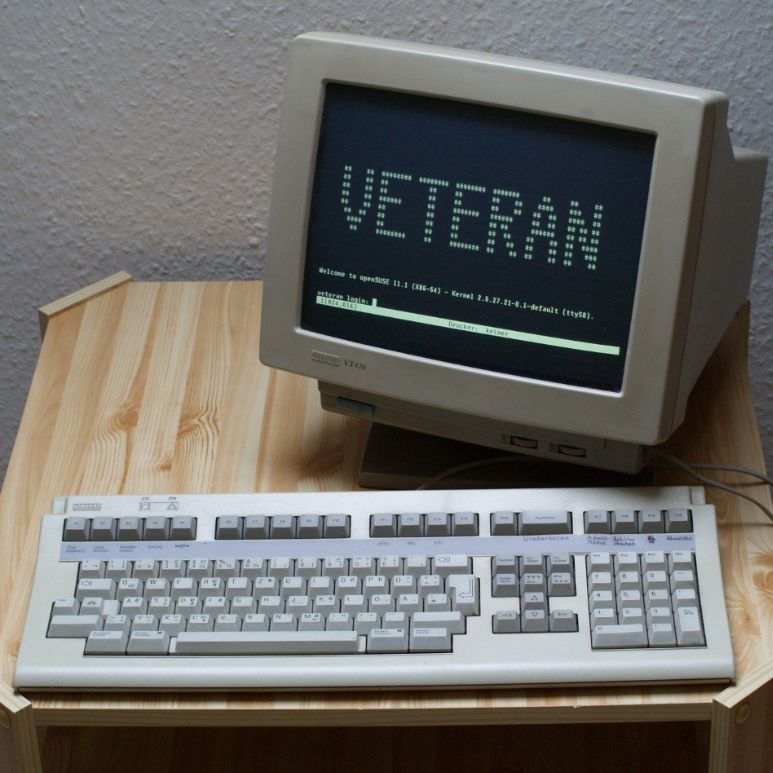
    A DEC VT420 terminal (1989). Photo by Jacek Rużyczka / CC BY-SA 3.0.

    I have been doing some renovations. Not on the house, but here on the site.

    For a long time, this blog lived in a rented room. I used EasyWP from Namecheap. It was functional. It worked. But it felt like living in a hotel. You can sleep there, but you are not allowed to drill holes in the walls or change the locks.

    I decided it was time to move out. I have spent the last three days migrating everything to my own VPS (Virtual Private Server). It was surprisingly quick. I expected a week of headaches, but it has gone smoother than I thought.

    The Economics of Independence

    We are often told that convenience is worth paying for. Usually, I agree. But in the world of hosting, the markup for convenience is steep.

    My previous setup was a patchwork of services. I was paying £7.40 a month for the WordPress hosting. On top of that, I paid £5 a month for Mullvad VPN to keep my browsing private. That is over £12 a month just to exist online securely.

    My new VPS costs £3.05 a month.

    For that price, I get more storage and traffic allowance than I will ever need. I have migrated the WordPress site. I have also set up WireGuard on the server. This replaces my Mullvad VPN subscription entirely.

    The maths is undeniable. I am saving nearly ten pounds a month, and I am getting more for it.

    The “Douglas Ireland” Cloud Stack

    The best part of this move is knowing exactly what is running under the bonnet. There is no “black box” anymore. I built the system, so I know how it works.

    Here is the current setup.

    1. The Foundation – I am using Hetzner Cloud based in Germany. It feels appropriate for a project focused on privacy to host the data within Europe. The OS is Ubuntu 24.04.3 LTS (Noble Numbat) running Linux Kernel 6.8.0. It is solid and stable.

    2. The Architecture – I went for a hybrid approach.

    • Host Level: Nginx runs natively. It handles the public traffic and manages the SSL certificates via Let’s Encrypt.
    • Container Level: Everything else runs in isolated Docker containers. They talk to each other through a custom internal bridge network.

    3. The Silence (Privacy & Ads) – This is the feature I am most pleased with.

    • VPN: I am running WireGuard (via the wg-easy image). It is faster and leaner than older protocols.
    • Ad Blocking: I have AdGuard Home running as a network-wide DNS sinkhole.
    • The Link: The VPN and AdGuard are linked internally. When I connect my phone or laptop to the VPN, all the DNS queries are forced through AdGuard. It scrubs the ads and trackers before the data even reaches my screen.

    4. The Applications

    • The Blog: douglasireland.com is running on a native Nginx/PHP implementation.
    • Coming Soon: I am looking to implement my own cloud storage and password manager next. That will save me even more money in the long run, but for now, I am taking it one step at a time.

    5. Maintenance – I don’t want to spend my life running updates manually. I have Watchtower running in the background. It checks for Docker image updates every 24 hours and applies them automatically.

    Escaping the Walled Garden

    Managed hosting is a walled garden. They keep it tidy for you, but they also lock the gates.

    They block certain plugins. They restrict file access. On a VPS, I have “root access.” That means I hold the keys to the entire building.

    If I want to run a Python script alongside this blog? I can. If I want to host my own password manager later down the line? I can. If I want to mess up the configuration and break the whole thing? I can do that too.

    That risk is part of the appeal.

    The Joy of Logic

    There is a satisfaction in getting a system to run perfectly. It is the same feeling you get when you finally crack a difficult crossword clue or fit the last piece of a puzzle into place.

    Setting this up required reading, learning, and typing commands into a terminal window. It gave me something to do. I am genuinely enjoying learning about how the internet actually functions.

    When I get a new service running, like the WireGuard VPN which now shields all my devices rather than just the five Mullvad allowed, I feel a real sense of accomplishment.

    Mid 90s Style Independence

    Ultimately, this is a philosophical choice.

    We have drifted into an era where we rent everything from Big Tech. We trade our data for ease of use. Moving to a VPS is a small act of rebellion. It is about data sovereignty. I control the backups. I control the logs. I am not relying on an ecosystem that might change its terms of service tomorrow.

    It feels like the internet of the mid 90s. It is a bit rougher around the edges, perhaps. But it is mine.